# Realtime Transaksi via Pusher

### Panduan Pembuatan Channel

1. Kunjungi [www.pusher.com](https://www.pusher.com).

<figure><img src="https://files.gitbook.com/v0/b/gitbook-x-prod.appspot.com/o/spaces%2FSWNAj9qXfCUnnqjqduxU%2Fuploads%2Ft30hQxcitX9wZdVAUuML%2Fimage.png?alt=media&#x26;token=8af2cd73-ceef-45a0-b929-c3a0880c5429" alt=""><figcaption></figcaption></figure>

2. Login atau daftar akun Pusher menggunakan email tenant H2H.Comment
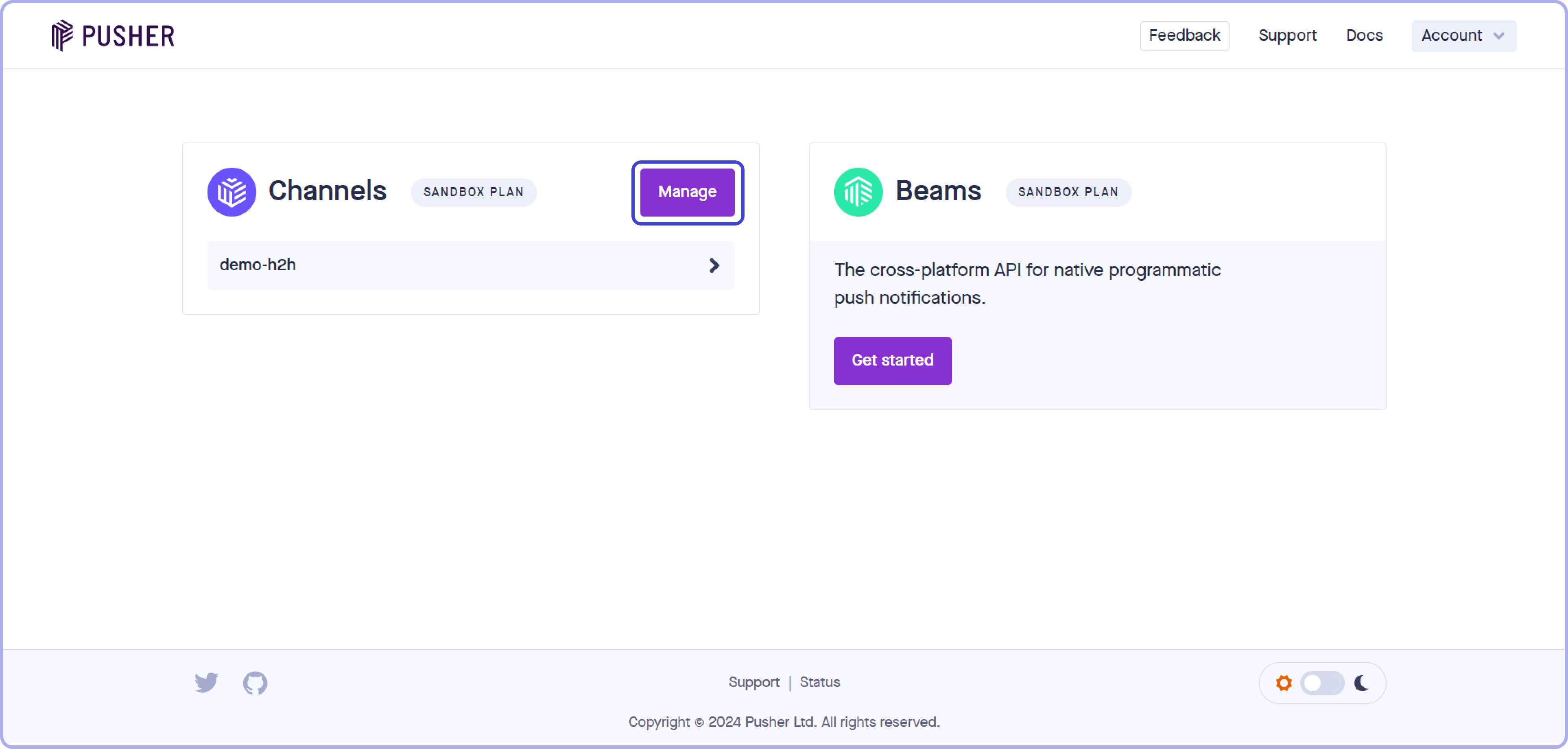
3. Setelah login, klik **"Manage"** di bagian **"Channels"** pada halaman utama.Comment

<figure><img src="https://files.gitbook.com/v0/b/gitbook-x-prod.appspot.com/o/spaces%2FSWNAj9qXfCUnnqjqduxU%2Fuploads%2F2RLW4YS8RRZfCyuO19Uh%2Fimage.png?alt=media&#x26;token=f9bf224a-c5f5-4e21-af04-3512ce702c0a" alt=""><figcaption></figcaption></figure>

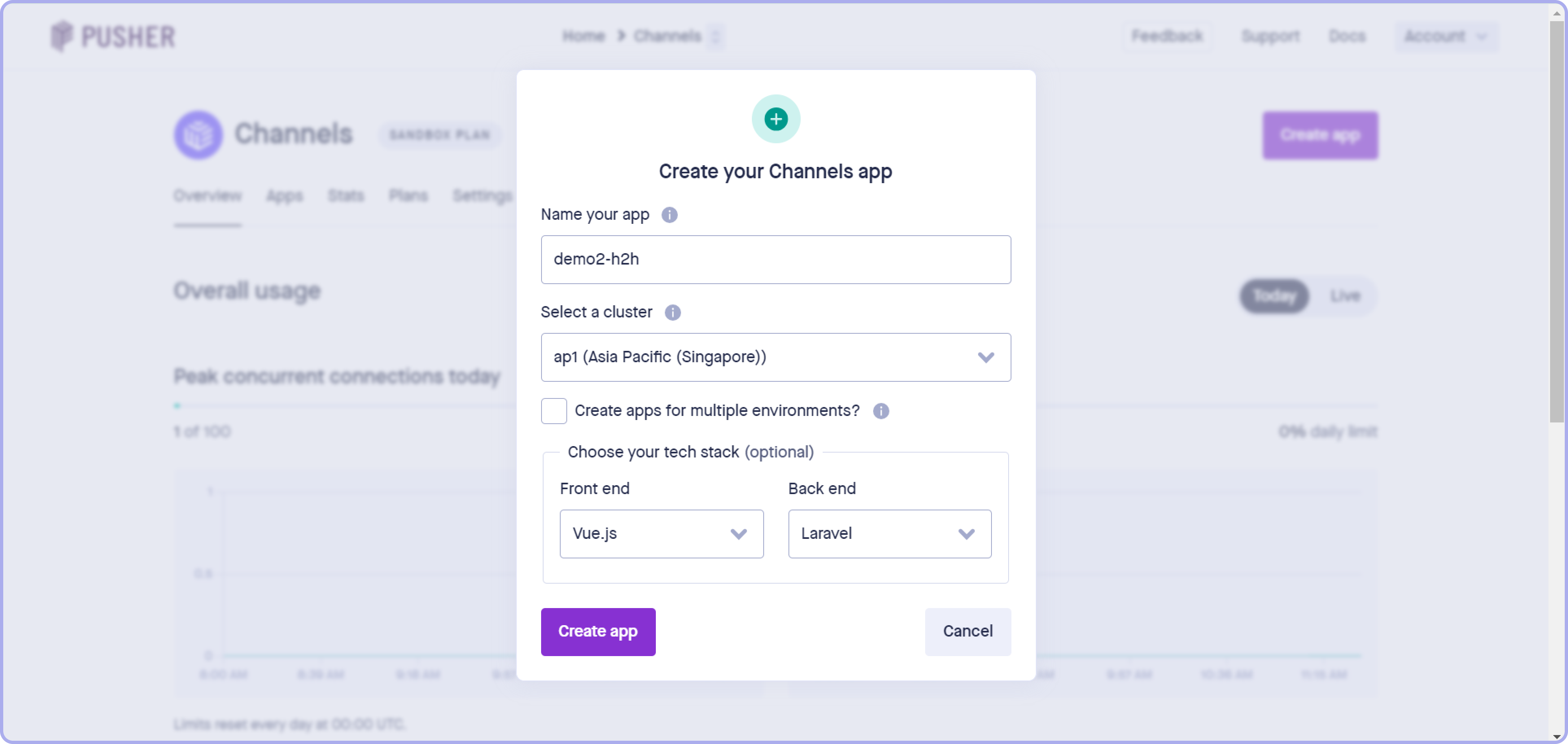
4. Klik **"Create App"**, isi nama aplikasi sesuai H2H kamu, dan pilih **Front End: Vue.js** serta **Back End: Laravel**.Comment

<figure><img src="https://files.gitbook.com/v0/b/gitbook-x-prod.appspot.com/o/spaces%2FSWNAj9qXfCUnnqjqduxU%2Fuploads%2FPuvXWsnC9n5gIbAU1d5q%2Fimage.png?alt=media&#x26;token=76e3200a-b0eb-4a14-ba6d-395bc3ff2355" alt=""><figcaption></figcaption></figure>

5. Klik **"Create App"** setelah melengkapi form.Comment
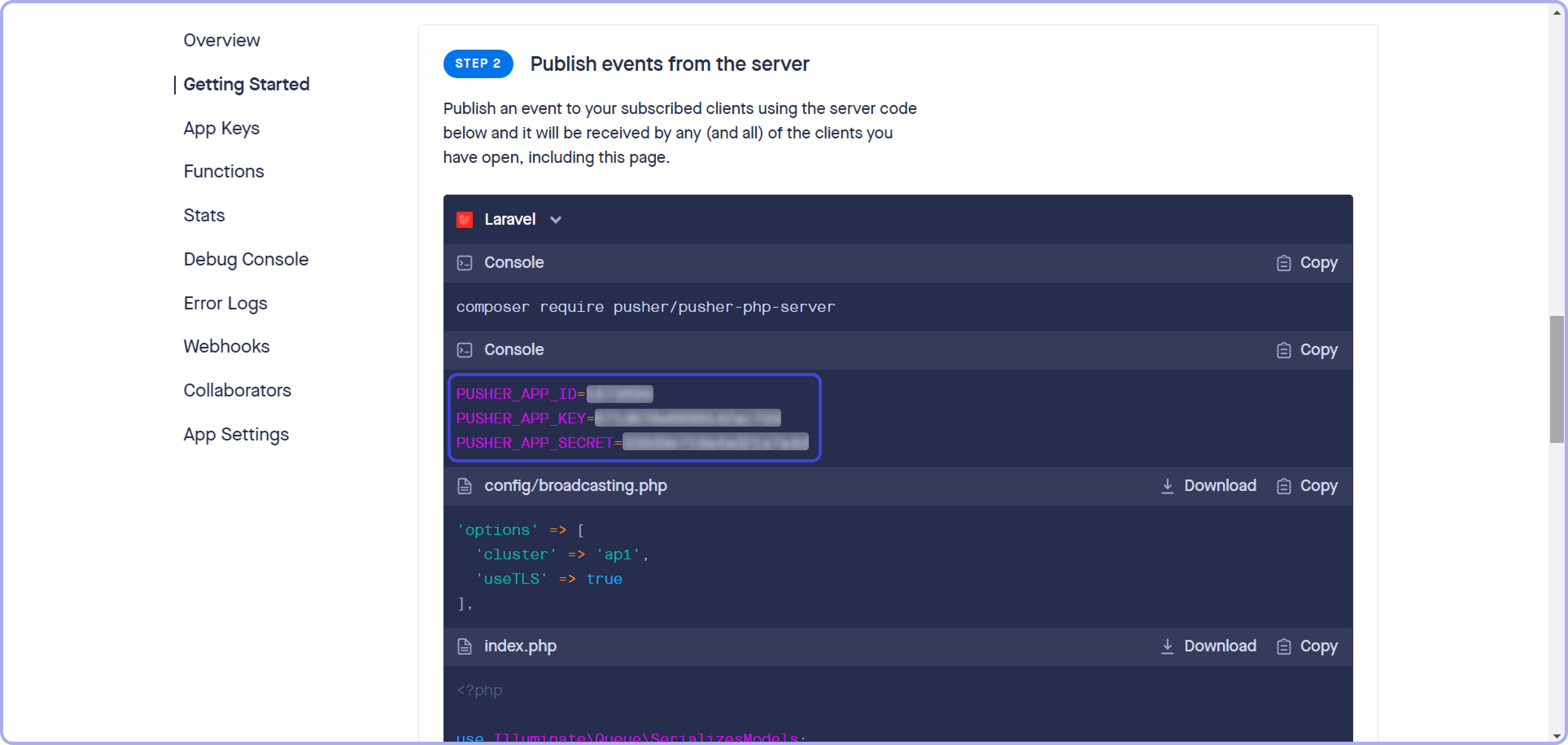
6. Pada halaman detail channel yang dibuat, scroll ke bawah ke **Step 2**: **"Publish events from the server"**, dan cari bagian Laravel console.Comment

<figure><img src="https://files.gitbook.com/v0/b/gitbook-x-prod.appspot.com/o/spaces%2FSWNAj9qXfCUnnqjqduxU%2Fuploads%2FvpM4Kvj4lOJOUMKu6HLU%2Fimage.png?alt=media&#x26;token=eeac430c-4679-45d1-9c9a-2bbe5aa1cd3e" alt=""><figcaption></figcaption></figure>

7. Salin **Pusher App ID**, **Key**, dan **Secret**, lalu kirimkan ke tim Customer Relation.Comment
8. Tunggu proses setup realtime transaksi server.
---

# Agent Instructions: Querying This Documentation

If you need additional information that is not directly available in this page, you can query the documentation dynamically by asking a question.

Perform an HTTP GET request on the current page URL with the `ask` query parameter:

```
GET https://serpul.gitbook.io/serpul-h2h/fitur-layanan-lainnya/realtime-transaksi-via-pusher.md?ask=<question>
```

The question should be specific, self-contained, and written in natural language.
The response will contain a direct answer to the question and relevant excerpts and sources from the documentation.

Use this mechanism when the answer is not explicitly present in the current page, you need clarification or additional context, or you want to retrieve related documentation sections.